 Craig Bailey
Creating an XML Sitemap in elcomCMS
elcomCMS has a very nice tool for creating XML sitemaps, and in this post I'm going to quickly walk you through a few tips for setting it up.



If you're new to HubSpot, we guide you on where to start, how to do it right, and train you to make the most of the platform.

Review your HubSpot portal to uncover issues, spot growth opportunities, and ensure you're maximising its potential.
Free HubSpot Assessment
HubSpot Audit + Review
HubSpot Updates that Matter

Unlock business growth with automation and attribution. Implement best practices and execute marketing campaigns.
Setting the robots.txt file is important for your web site's health - Google uses it as a guide for what to index and what to exclude.
I've previously included references to the robots.txt file in this post on going live with a new elcomCMS site (see point 6) but it's worth covering again here.
In elcomCMS, setting the robots.txt file is really easy.
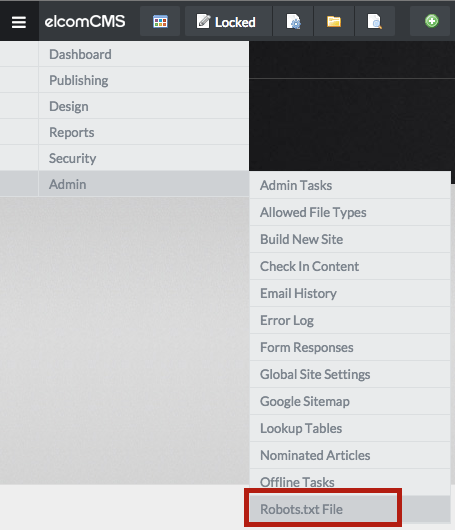
You can access it from the Admin menu:
and then edit it directly:
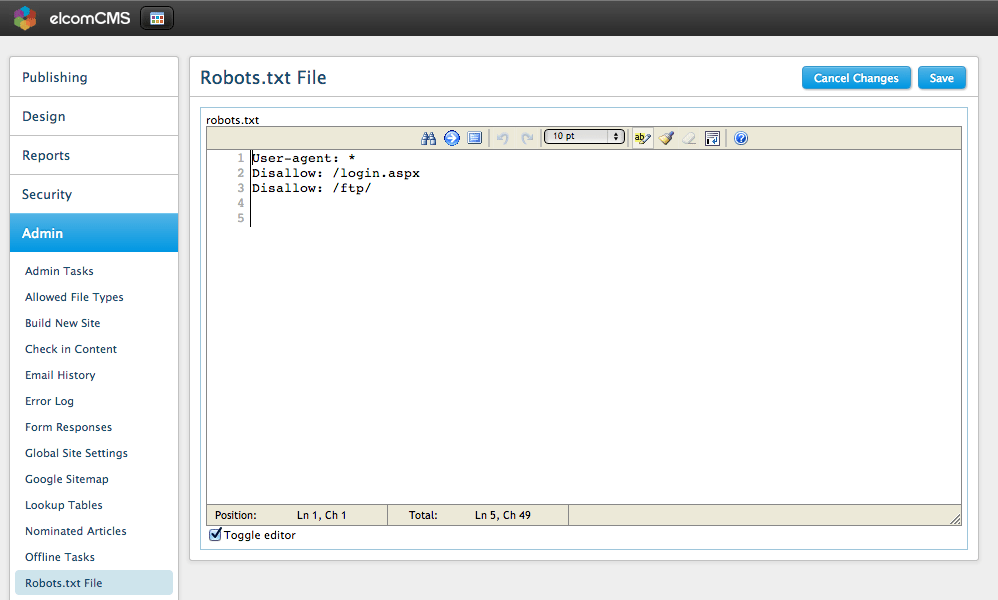
If a site is in staging, you'll ideally want to block Google from crawling it. Use the following to block the entire site:
User-agent: *

Disallow: /
Once the site is live, you only really want to block a few items eg blocking the login page is reasonably common. You can also block entire directories eg such as an FTP folder:
User-agent: *

Disallow: /cmlogin.aspx

Disallow: /ftp/
Be very careful when going live with a site - I often see sites go live (from staging) and keep their robots.txt file from staging - and in the process block their entire live site in Google! Make sure you check your robots.txt file when going live.