
 Craig Bailey
HubShots Episode 89: Sales Dilution, Naming HubSpot Workflows
In this episode Ian and Craig discuss some naming conventions for HubSpot workflows. Large sites can easily have hundreds of workflows, so naming...



If you're new to HubSpot, we guide you on where to start, how to do it right, and train you to make the most of the platform.

Review your HubSpot portal to uncover issues, spot growth opportunities, and ensure you're maximising its potential.
Free HubSpot Assessment
HubSpot Audit + Review
HubSpot Updates that Matter

Unlock business growth with automation and attribution. Implement best practices and execute marketing campaigns.
In episode 9 of HubShots Ian and I discussed three quicks tips for using HubSpot workflows (you can listen to the podcast here).
HubSpot Workflows are really powerful for building nurture programs for your contacts.
Here's 3 quick tips for using HubSpot Workflows:
In the top right of a Workflow there is a Test link:
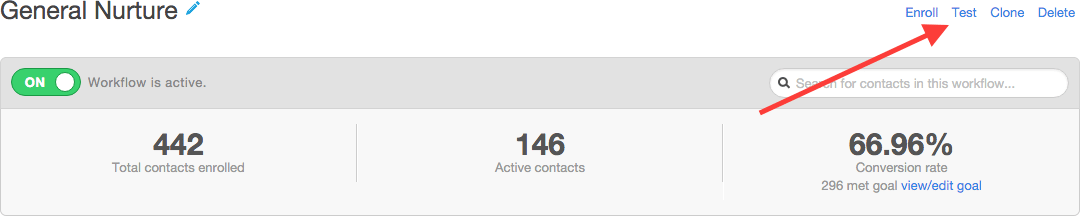
Clicking on that link will prompt you to select a contact to send the test items to (usually you'd choose yourself, but you could choose a team member etc):
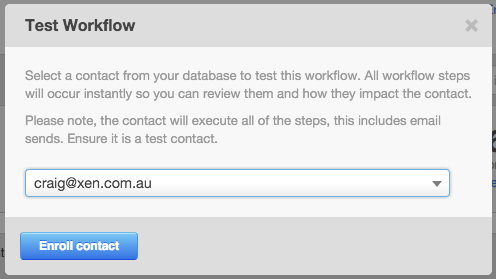
You'll immediately receive all the emails from the workflow - very handy for doing a quick check of what contacts will receive.
HubSpot is good at protecting the lifecycle stage of a contact - if a contact is a later lifecycle (eg Customer), then you don't want to accidentally have the contact 'downgraded' to a lower stage (eg MQL) as part of a workflow. HubSpot will by default prohibit this from happening. Which is good!
However, what if you do want to downgrade a lifecycle stage?
Turns out it is reasonably easy - you just need to clear the lifecycle stage first:
After that you can set it to whatever lifecycle you need.
An example might be: setting a Sales Qualified Lead (SQL) back to Marketing Qualified Lead (MQL) because they weren't yet ready.
Or setting a Marketing Qualified Lead back to Lead because they haven't engaged with any bottom of the funnel offers, etc.
Workflow branching has been available for a while now (at least a year or more) but one of the reasons I've rarely used it is because deleting a branch item used to delete everything (and I mean everything) below it.
But a month or two ago I noticed that branching deletes now prompt you like this:
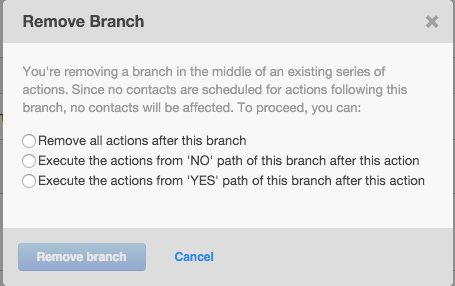
This makes things a lot easier to manage.
Workflow branching is still a little cumbersome eg ideally I'd like a way to easily move a branch to later stage in a workflow, but at least this improvement means you don't lose everything if you delete a branch.
Hope these tips help. For more HubSpot tips check out our other episodes of HubShots.